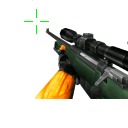
Cookiecwirlc Cursors Cursor


 Hover me
Move inside the preview zone to see the cursor follow your pointer. Press to test the click animation.
This custom cursor features a sleek and minimalist design using a palette of three colors, predominantly white, that embodies a clean and modern aesthetic. It fits perfectly in various digital environments such as desktop setups, browsers, or gaming interfaces, making it an ideal choice for users who appreciate understated elegance.
Get the "Cookiecwirlc Cursors" Cursor Pack
Grab the full Windows cursor pack by installing our app or running a command. If you ever want to go back, you can restore your default cursor through the app or in Windows Settings.
How to Install on Windows
You can install the "Cookiecwirlc Cursors" cursor pack in two ways. Pick whichever is easier for you.
Option 1 (Recommended): Install with our App
- Click Download via the App.
- You'll be taken to our app. From there, click Add/Install to apply the cursor pack.
- Manage everything in one place: save unlimited cursor packs, switch between them instantly, and re-apply anytime.
Why use the app? Best for collecting cursor packs and changing them quickly whenever you want.
Option 2: Install via Command (Fastest)
- Click Download.
- You'll see an install command with step-by-step instructions.
- Run the command and the cursor pack installs automatically - quick and hands-free.
Pros: The fastest, most automatic install.
Note: If you later want to restore your previous cursor, you'll need to either install our app or revert it manually in Windows Settings.
Need more help? Visit the full installation guide.
Comments
Share a quick reaction.